|
|
|
|
|


Viewing Carrier Gain/Loss Summary (Report 8)
The option on the Reports Selection page allows users to view the Carrier Gain/Loss Summary report. This report provides information regarding the movement of enrollees between carriers and plans (enrollment codes) when comparing 1 quarter to any prior quarter.
To View a Carrier Gain/Loss Summary Report:
- Select the tab on the CLER Main Menu. The Reports Selection page is displayed.
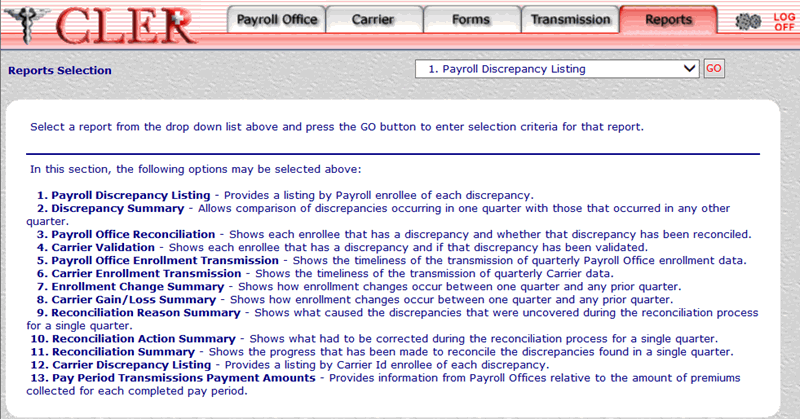
- Select the drop-down menu on the Reports Selection page and select
- Select the button to display the 8. Carrier Gain/Loss Summary page.
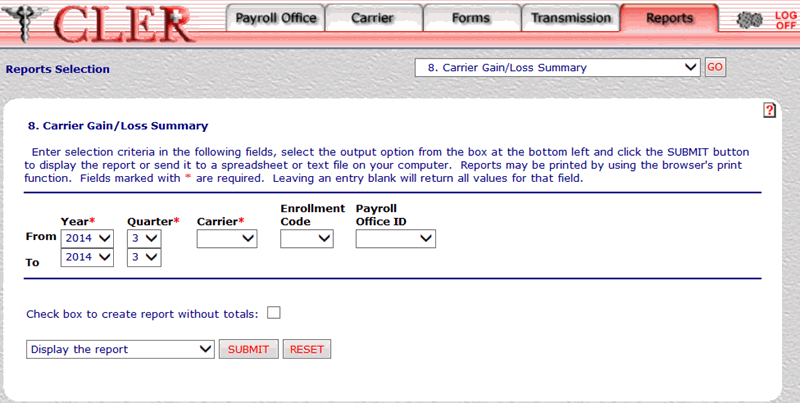
- Complete the following fields on the 8. Carrier Gain/Loss Summary page:
- Select the drop-down menu at the bottom of the page and select one of the following format options:
- Display the report.
- Save report as a spreadsheet.
- Save report as a text file.
- Select the to display the Carrier Gain/Loss Summary report in the selected format. The Carrier Gain/Loss Summary report is displayed.
OR
Select the button to clear all data entered.
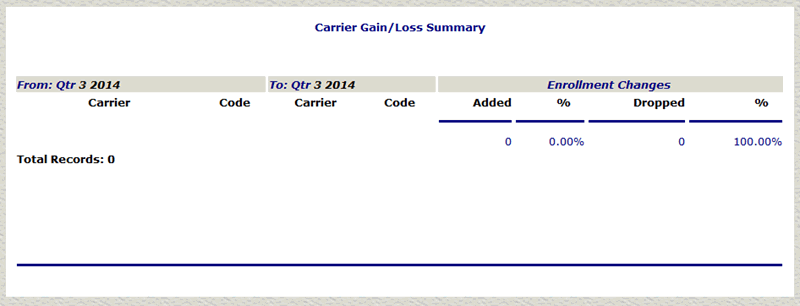
The data in the Carrier Gain/Loss Summary report is categorized into the following fields:
- Close the report to return to the 8. Carrier Gain/Loss Summary page.
See Also |