|
|
|
|
|


Viewing Reconciliation Reason Summary (Report 9)
The option on the Reports Selection page allows users to view the Reconciliation Reason Summary report. This report provides information regarding the cause of the discrepancies that were identified during the reconciliation process for a single quarter.
To View a Reconciliation Reason Summary Report:
- Select the tab on the CLER Main Menu. The Reports Selection page is displayed.
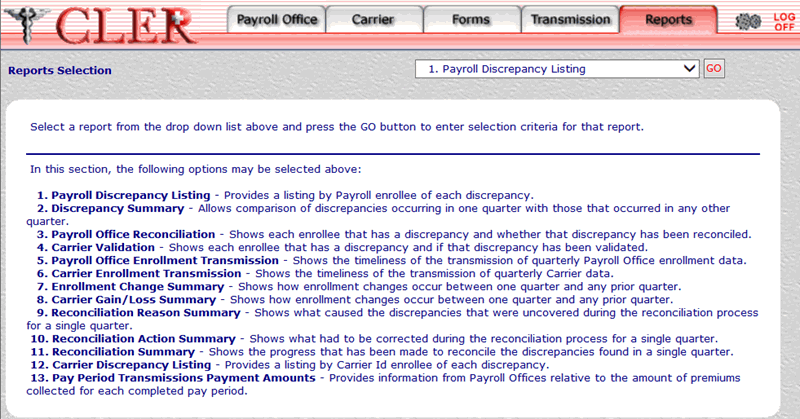
- Select the drop-down menu on the Reports Selection page and select .
- Select the button to display the 9. Reconciliation Reason Summary page.
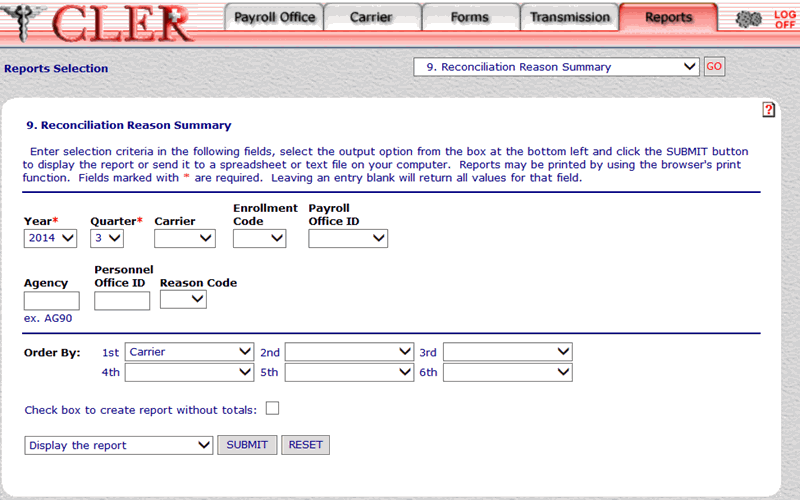
- Complete the following fields on the 9. Reconciliation Reason Summary page:
Carrier
Agency
Personnel Office ID
Reason Code
Order By 1st
Order By 2nd
Order By 3rd
- Select the drop-down menu at the bottom of the page and select one of the following format options:
- Display the report .
- Save report as a spreadsheet.
- Save report as a text file.
- Select the button to display the Reconciliation Reason Summary report in the selected format. The Reconciliation Reason Summary report is displayed.
OR
Select the button to clear all data entered.
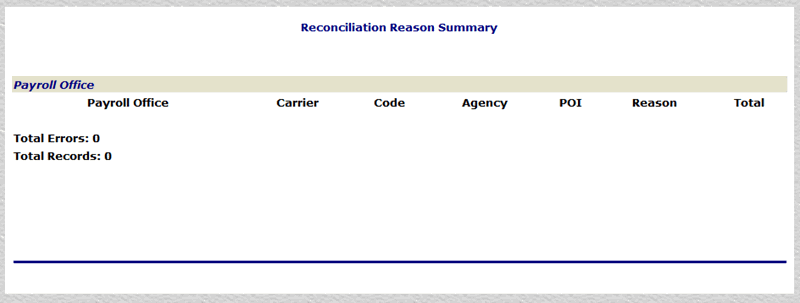
The data in the Reconciliation Reason Summary report is categorized into the following fields:
Code
Agency
POI
Reason
Total
Total Errors
- Close the report to return to the 9. Reconciliation Reason Summary page.
See Also |