|
|
|
|
|


Reassigning Employees
HR Administrators may reassign employees to other timekeepers and supervisors.
To Reassign Employees to Timekeepers or Supervisors:
- Select the link from the Delegates/Reassignment section on the HR Administrator Main Menu page. The Reassign Employees to Timekeeper page is displayed.
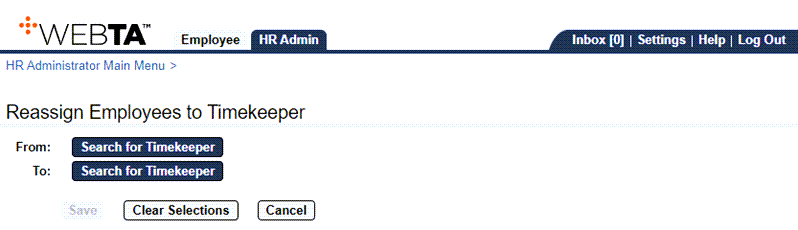
- Select the button adjacent to the From: field. The Select User - Choose a Timekeeper to reassign employees from page is displayed.
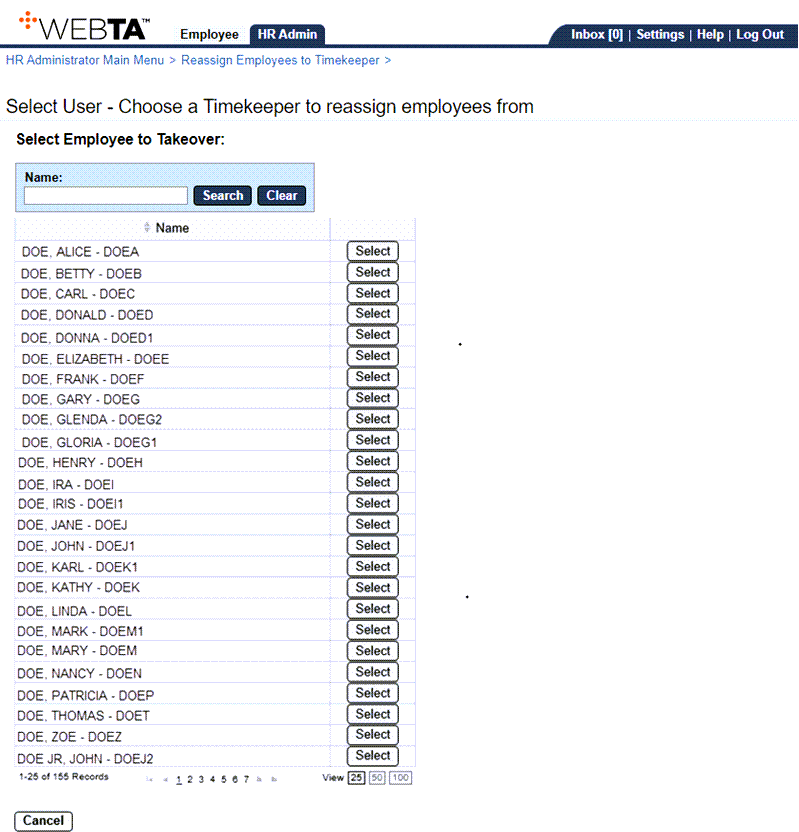
- Select the button adjacent to the timekeeper from whom employees will be reassigned, if listed. The From: field is now populated.
OR
Enter the name of the timekeeper from whom employees will be reassigned and select the button. Select the timekeeper from the search results. The From: field is now populated.
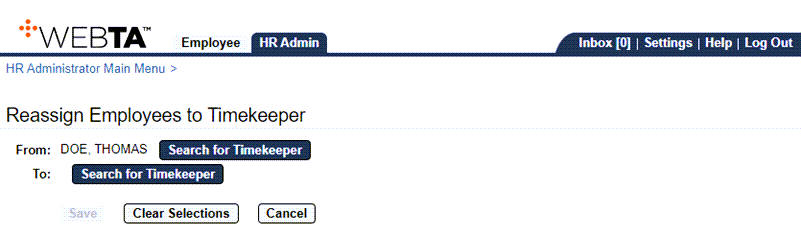
- Select the button adjacent to the To: field. The Select User - Choose a Timekeeper to receive new employees page is displayed.
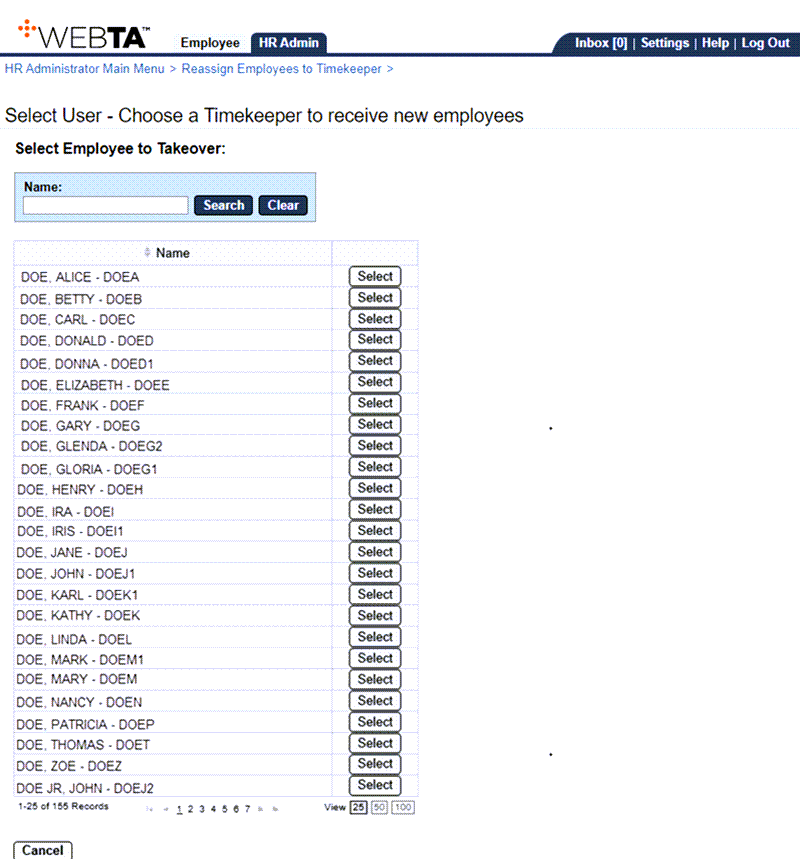
- Select the button adjacent to the timekeeper who will receive the new employees, if listed. The To: field is now populated.
OR
Enter the timekeeper's name in the field, and select the button. Select the timekeeper from the search results. The To: field is now populated.
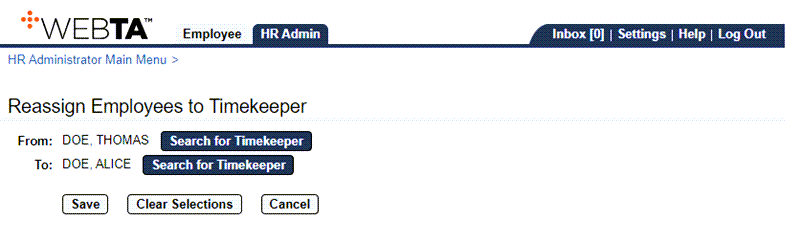
- Select the button. A message is displayed stating that the reassignment was successful and the number of employees reassigned.
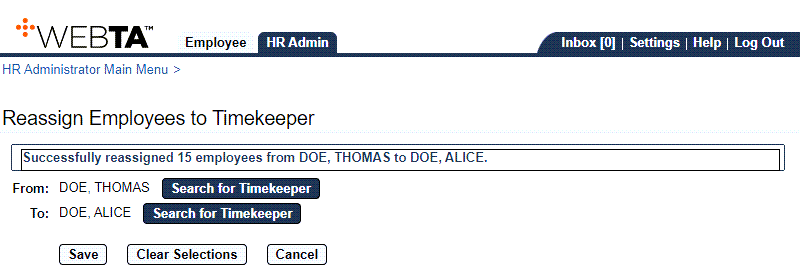
At this point, the following options are available:
Step
Description
Select the button
Allows you to clear the selections displayed.
Select the button
Returns you to the HR Administrator Main Menu page.
Select the tab
Returns you to the HR Administrator Main Menu page.
Select
Logs you out of webTA.
See Also |