|
|
|
|
|


POI/Agency Assignment
HR Administrators may assign and/or remove POIs and Agencies to users in the following roles:
- Master Timekeepers
- Master Supervisors
- HR Administrators
- Leave Transfer Program Managers
- COP Administrators
- ECM Administrators
To Assign a POI to an HR Administrator:
- Select the Assign POIs and Agencies link from the Agency/POI Assignment menu on the HR Administrator Main Menu page. The Assign POIs and Agencies page is displayed.
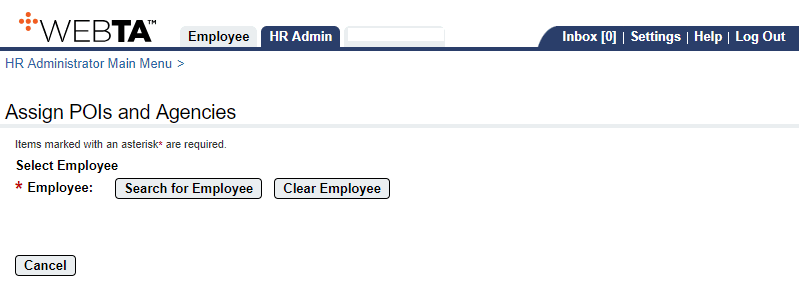
- Select the button. The Select User page is displayed.
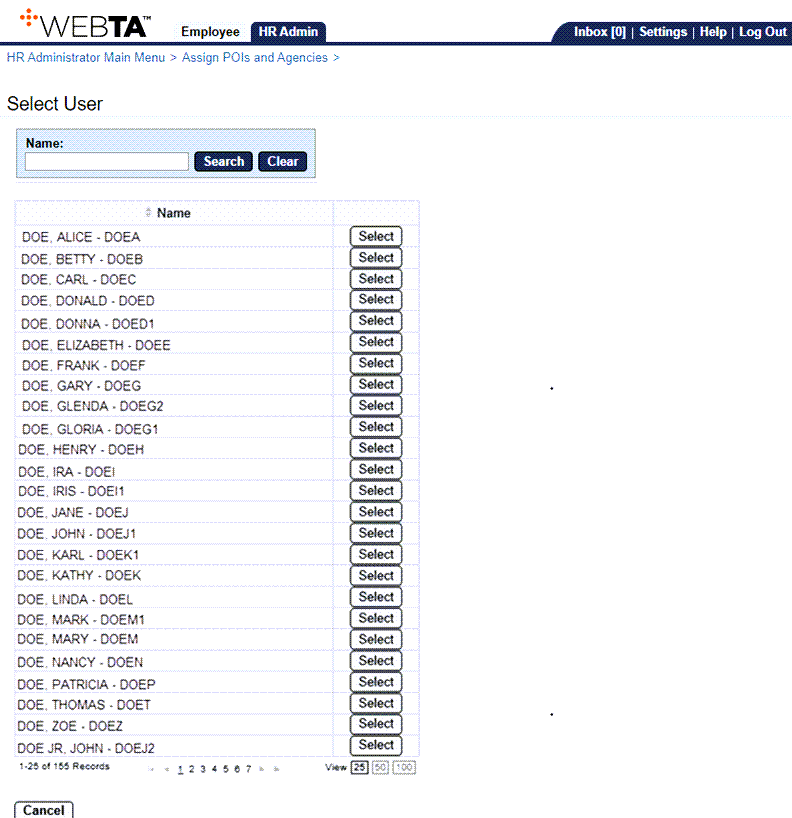
- Select the applicable HR Administrator to assign a POI. The Assign POIs and Agencies page is displayed with the selection displayed.
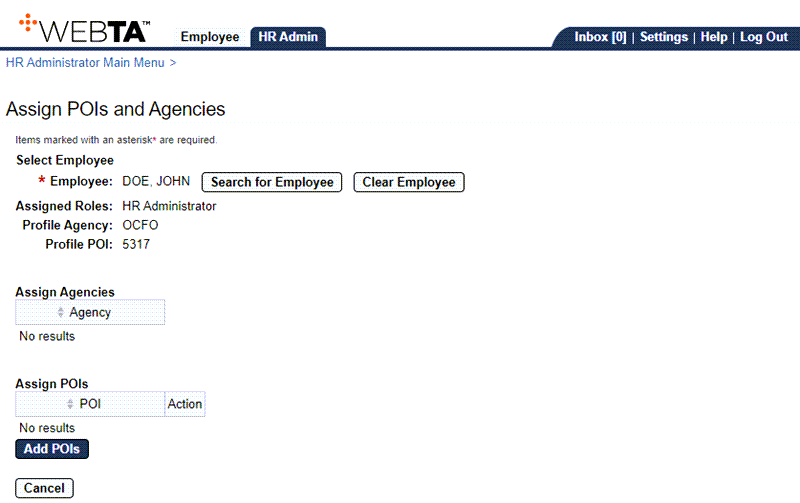
- Select the button. The Select POIs page is displayed.
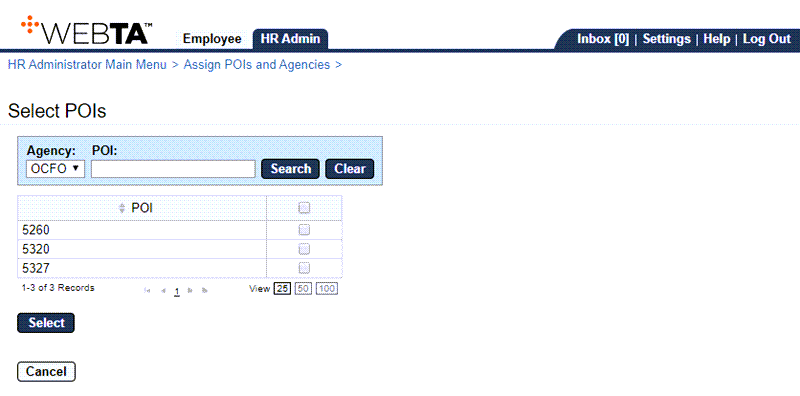
- Select the checkbox of the POI(s) to assign to the HR Administrator.
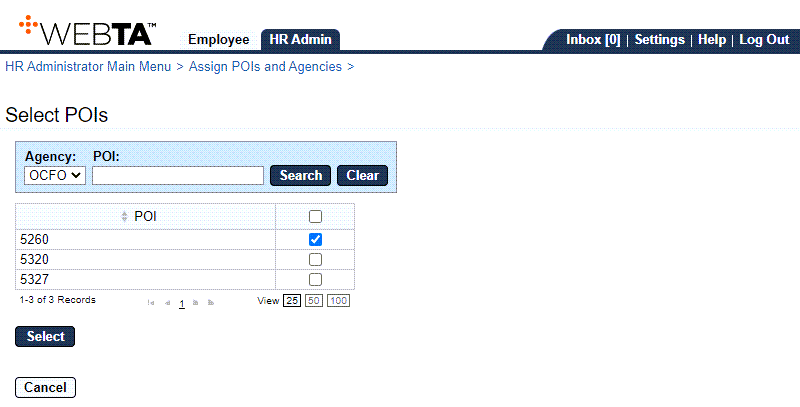
- Select the button. The Assign POIs and Agencies page is displayed with new POI listed.
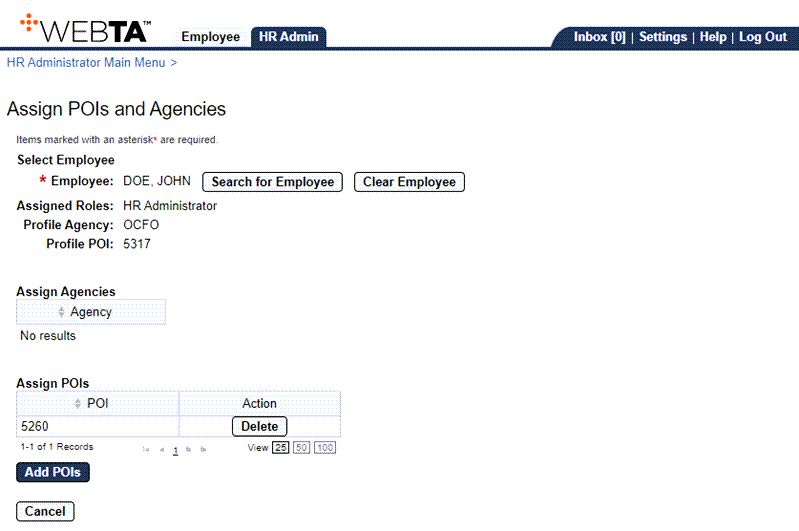
At this point, the following options are available:
Step
Description
Select the button
Deletes the POI.
Select the button
Allows you to add additional POIs.
Select the button
Returns you to the HR Administrator Main Menu page.
Select the tab
Returns you to the HR Administrator Main Menu page.
Select
Logs you out of webTA.