|
|
|
|
|


Managing Delegates
HR Administrators may manage Timekeeper and Supervisor delegates.
To Delegate a Timekeeper or Supervisor:
- Select the link from the Delegates/Reassignment section on the HR Administrator main menu page. The Select User - Choose a Timekeeper page is displayed.
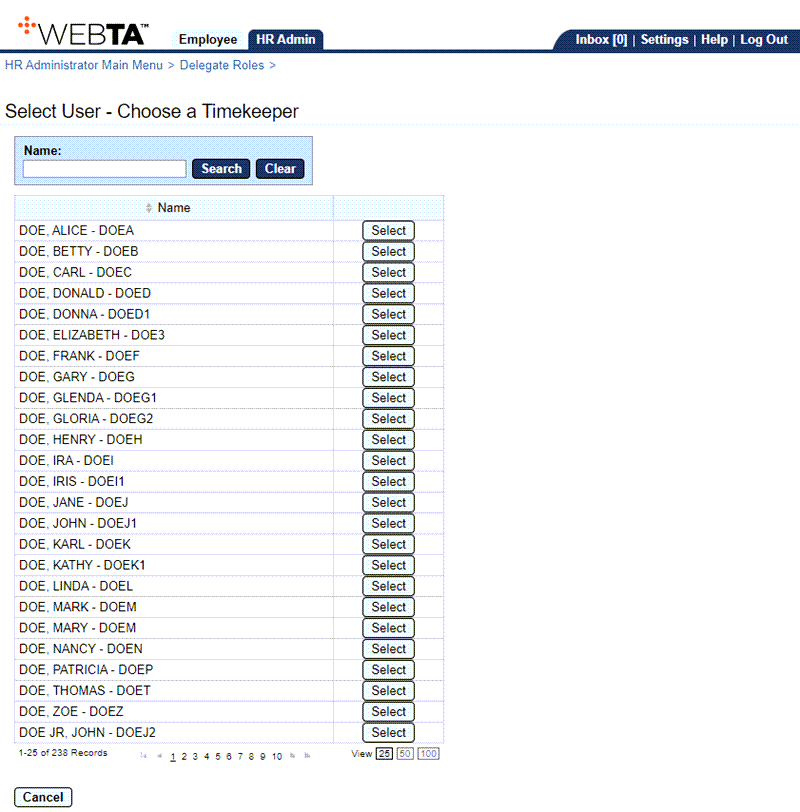
- Select the button on the row that identifies the timekeeper or supervisor for whom you want to delegate a backup. The Delegate Roles page is displayed. A table displays users who have already been delegated as a backup for the timekeeper or supervisor.
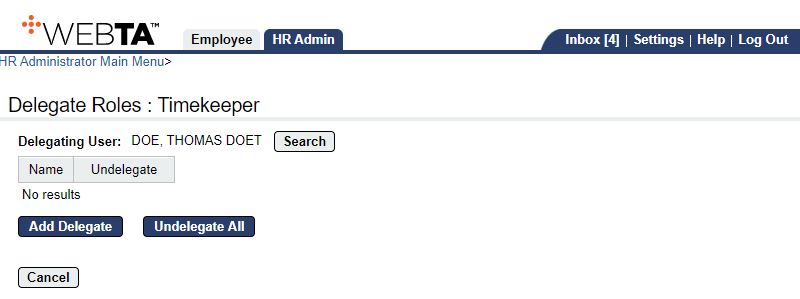
- Select the button. The Add Delegate page is displayed listing users who are qualified to be selected as delegates.
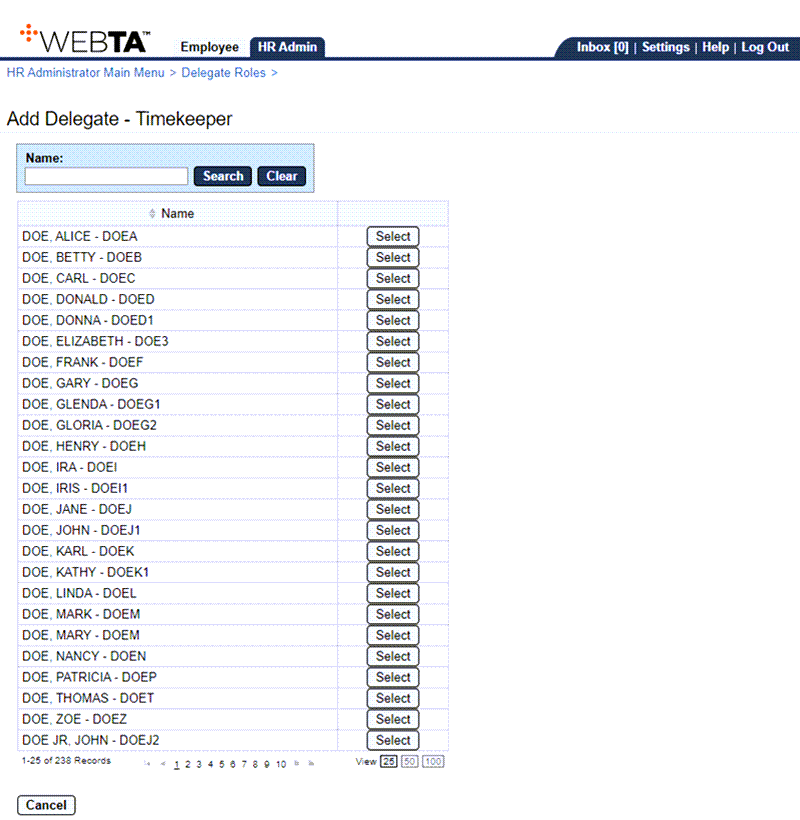
- Select the box next to user(s) you want to select as delegates.
- Select the button. The Delegate Role - Timekeeper page is displayed listing the newly assigned delegate and a message confirming that the delegation was successful.
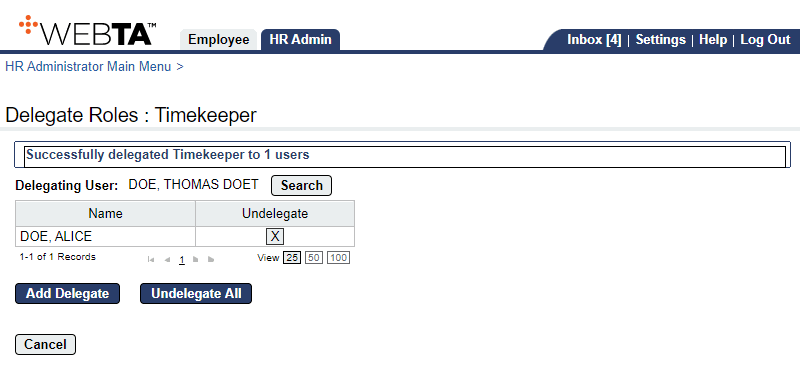
At this point, the following options are available:
Step
Description
Select the button
Allows you to add additional delegates.
Select the button
Allows you to undelegate all delegates.
Select the button
Returns you to the previous page.
Select the tab
Returns you to the HR Administrator Main Menu page.
Select
Logs you out of webTA.