|
|
|
|
|


Part IV: Waivers
This option is used to correct dates regarding the request and approval to waive a security investigation.
To Access the Waivers Option:
- Type at the cursor.
OR
Position the cursor next to the option.
- Select the key. The Part IV: Waivers screen is displayed.
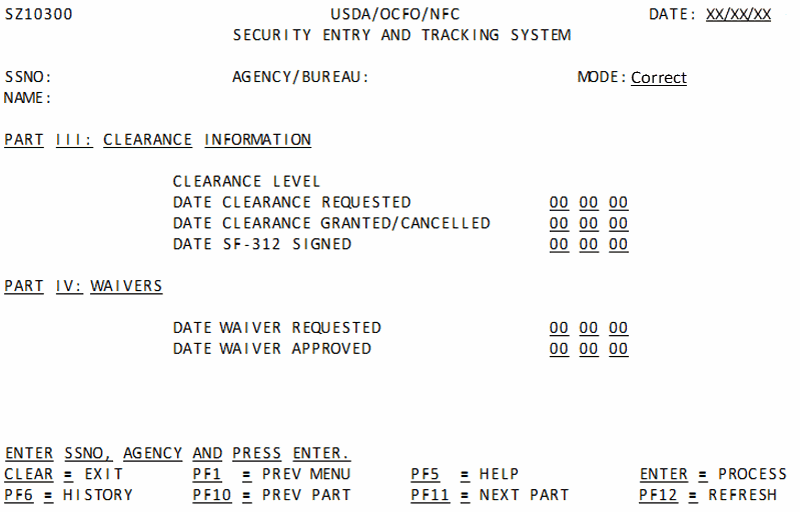
To Correct Waivers Information:
- Complete the fields as follows:
- Select the key. A system message is displayed.
- Correct the following fields as applicable:
- Select the key. If the data passes system edits, the message is displayed.
If the data does not pass system edits, an error message will be displayed.
At this point, the following options are available:
- Select the key to display the Help screen and to obtain assistance in completing any field.
- Select the key and repeat the above process or refresh the screen to query another individual’s record.
- Select the applicable function key to perform another function or to exit.
See Also |