|
|
|
|
|


Establishing a Leave Bank
HR Administrators establish VLBP accounts from the LTP Management page.
To Establish a Leave Bank:
- Select the LTP Management link from the Leave Transfer Program section on the HR Administrator Main Menu page. The LTP Management page is displayed.
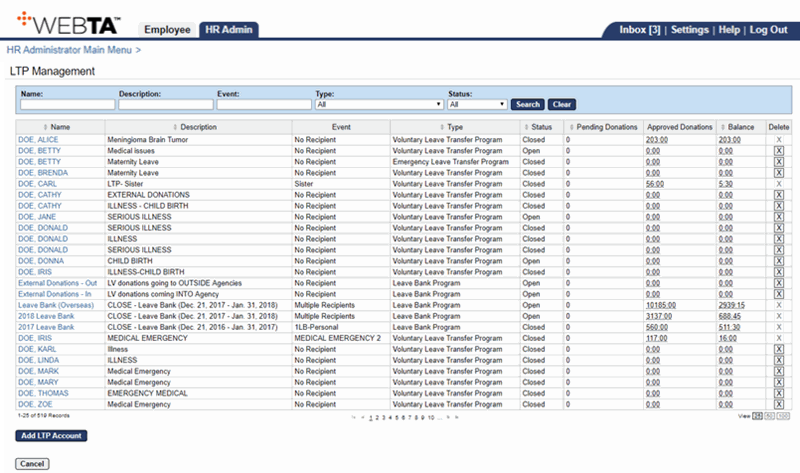
- Select the button. The Add LTP Account page is displayed.
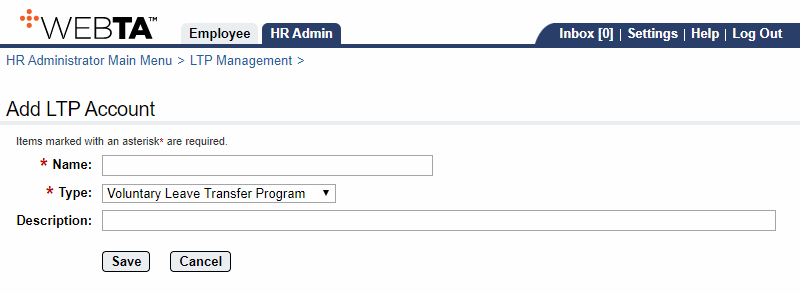
- Enter the leave bank name. This is a required field.
- Select from the drop-down list.
- Enter a description or additional information regarding the VLBP account.
- Select the button. The Edit LTP Account page is displayed with a message that the account was saved.
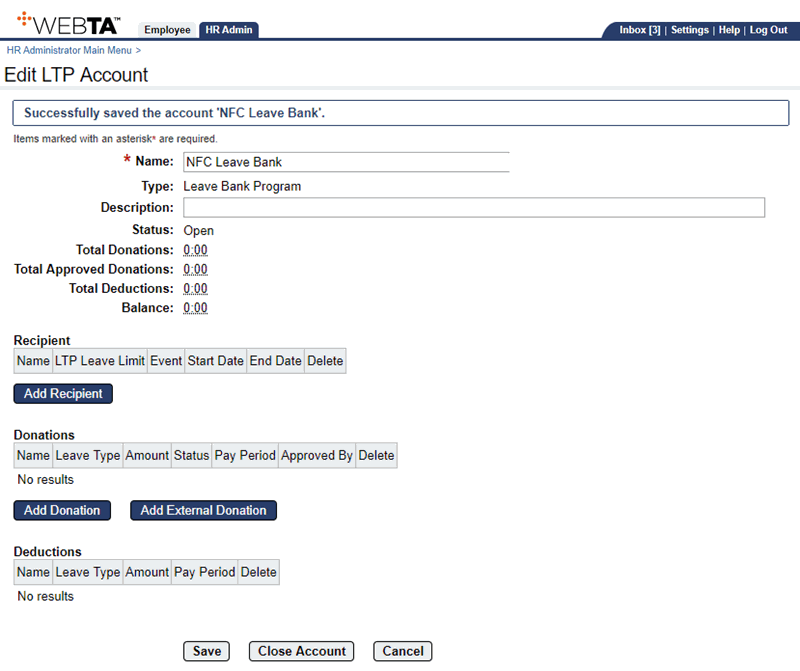
At this point, the following options are available:
Step
Description
Select the button
Saves any changes you may have made. You remain on the Edit LTP account page. The message is displayed.
Select the button
Closes the account. For more information, see Closing a Leave Recipient Account and Returning Unused Leave Donations.
Select the button
Returns you to the LTP Management page.
Select the tab
Returns you to the HR Administrator Main Menu page.
Select
Logs you out of webTA.
See Also |