|
|
|
|
|


Adding Recipients to a Leave Bank
To receive donations from a leave bank, the recipient must be a member of the leave bank and must make a written request to the leave bank board. If the employee is not capable of making the request, a personal representative may make the application on behalf of the employee. After the medical emergency, any unused leave is returned to the leave bank.
To Add a Recipient to a Leave Bank:
- Select the link from the Leave Transfer Program section on the HR Administrator Main Menu page. The LTP Management page is displayed.
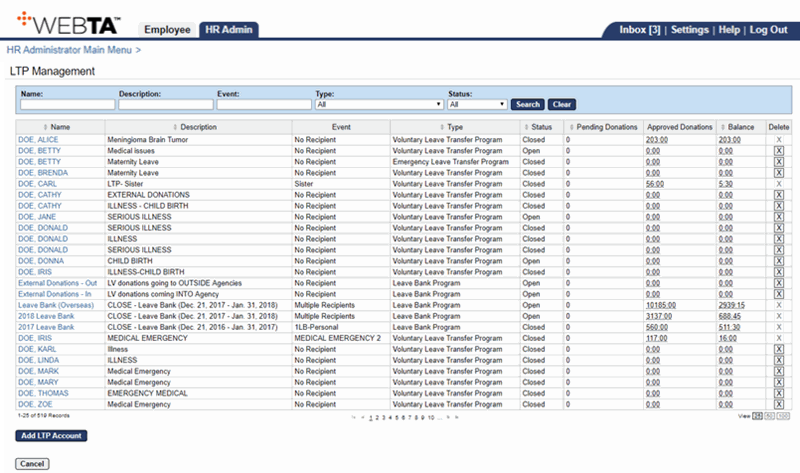
- Select the applicable leave bank.
OR
Enter the leave bank name in the Name field and select the button.
The Edit LTP Account page for the leave bank is displayed.
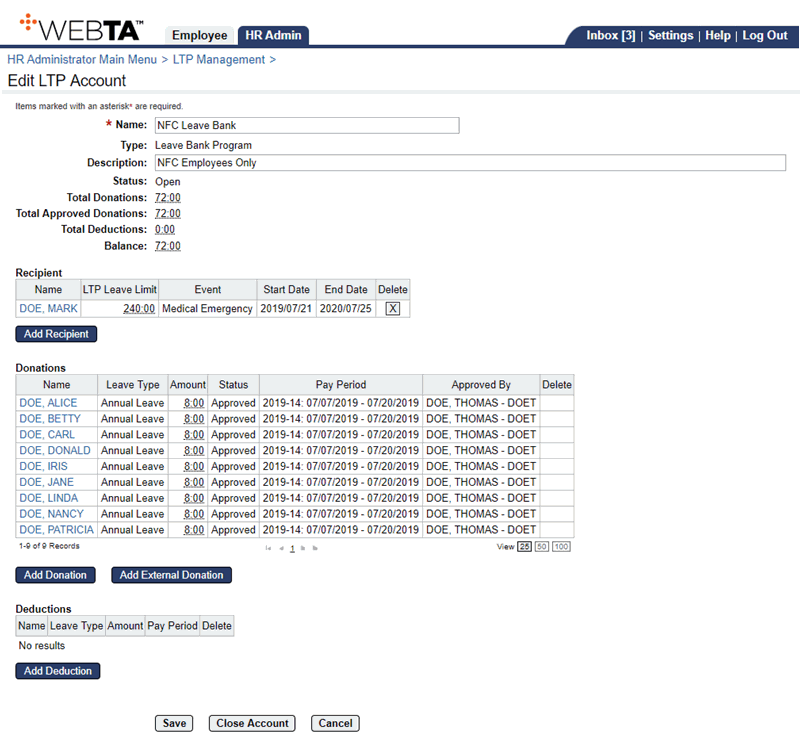
- Select the button. The Select Recipient page is displayed.
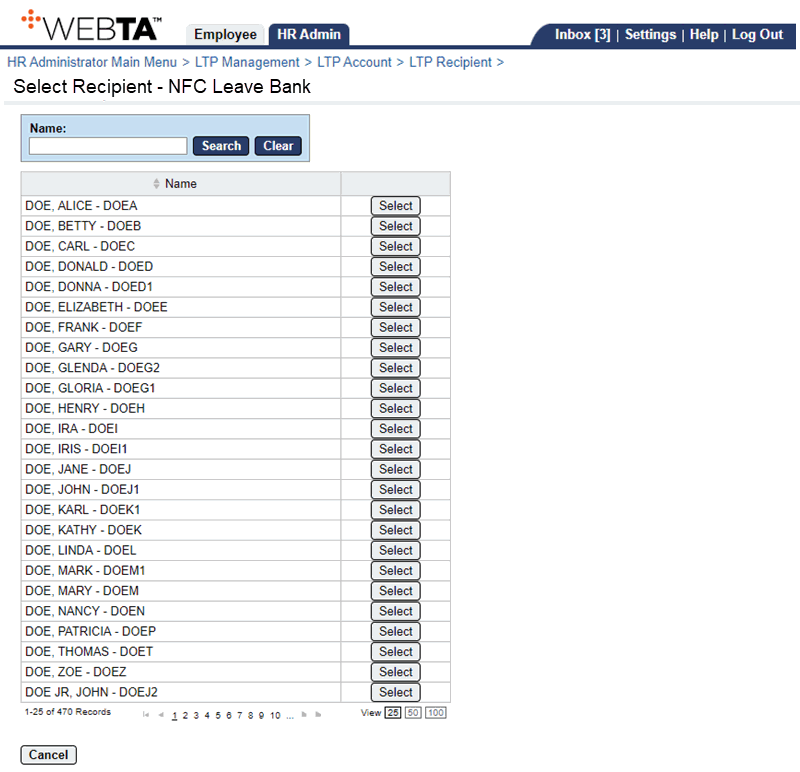
- Select the applicable employee.
OR
Enter the employee's name and select the button.
The LTP Recipient page is displayed with the recipient and position data listed.

- Complete the following fields:
- Select the button. The message is displayed.
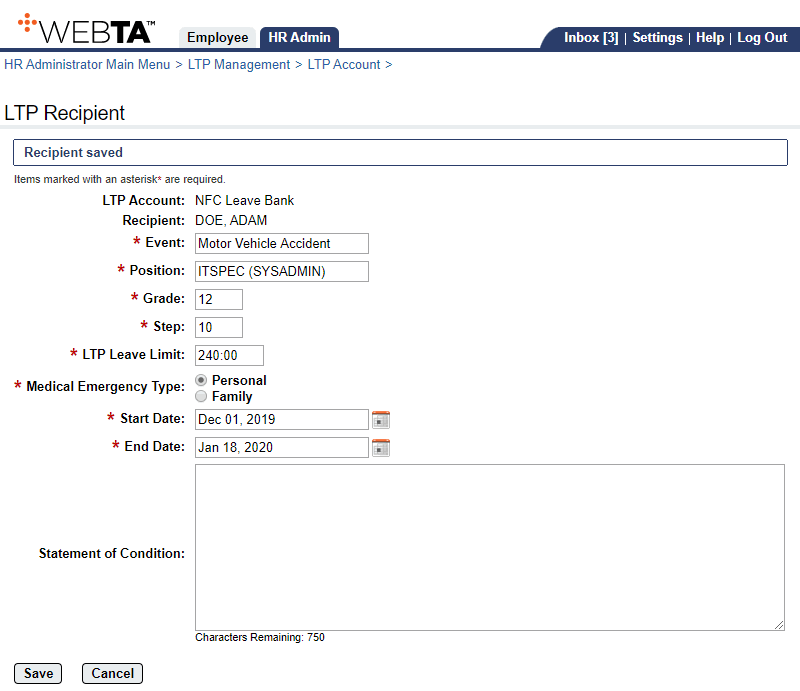
At this point, the following options are available:
Step
Description
Select the button
Saves any changes you may have made. You remain on the LTP Recipient's page. The message is displayed.
Select the button.
Returns you to the Edit LTP Account page.
Select the tab
Returns you to the HR Administrator Main Menu page.
Select
Logs you out of webTA.
See Also |