|
|
|
|
|


Timesheet Summary
The Timesheet Summary Report is a printable version of the Timesheet Summary for up to 10 selected employees. In order to view this report, it must be exported to a PDF file.
To Run the Timesheet Summary Report:
- Select the link from the Reports section on the HR Administrator Menu page. The Reports menu is displayed.
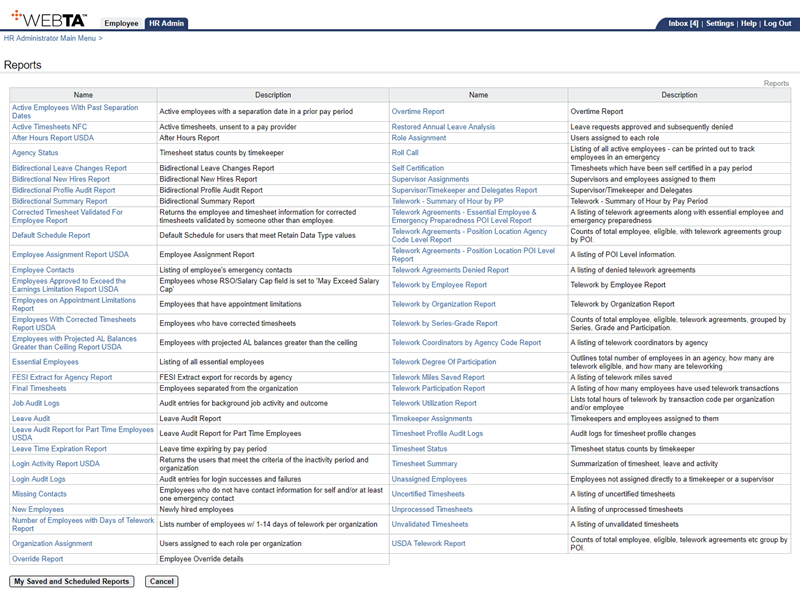
- Select the link. The Timesheet Summary Report Parameters page is displayed.
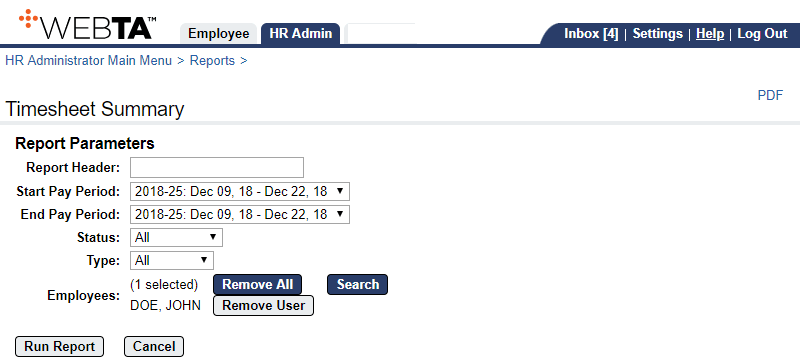
- Complete the following Report Parameters fields:
The Timesheet Summary Report Parameters page is displayed with the selected Employees listed.
- Select the button. The message is displayed.
- Select the link. The File Download box appears.
- Select the button. The Save As dialog box appears.
- Choose the location to save the report.
- Select the button.
At this point, the following options are available:
Step
Description
Select the button
Returns you to the Reports page.
Select the tab
Returns you to the HR Administrator Menu page.
Select
Logs you out of webTA.
See Also |