|
|
|
|
|


Donating Leave
The link is used to submit a leave donation.
To Donate Leave:
- Select the link from the Leave Transfer Program section on the Employee Main Menu page. The LTP Donations page is displayed.
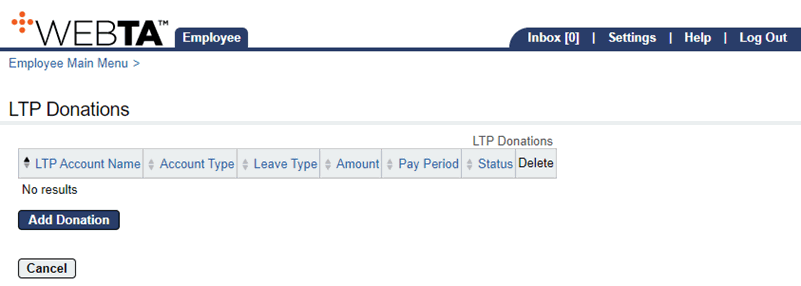
- Select the button. The Add LTP Donation page is displayed.
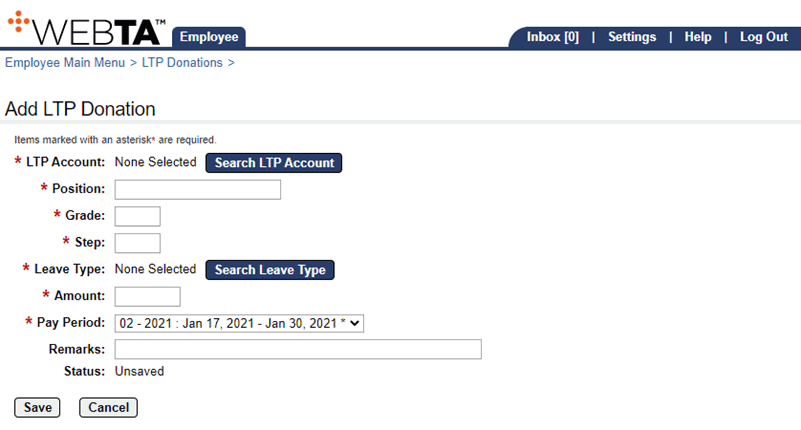
- Select the button. The LTP Account Selection page is displayed.
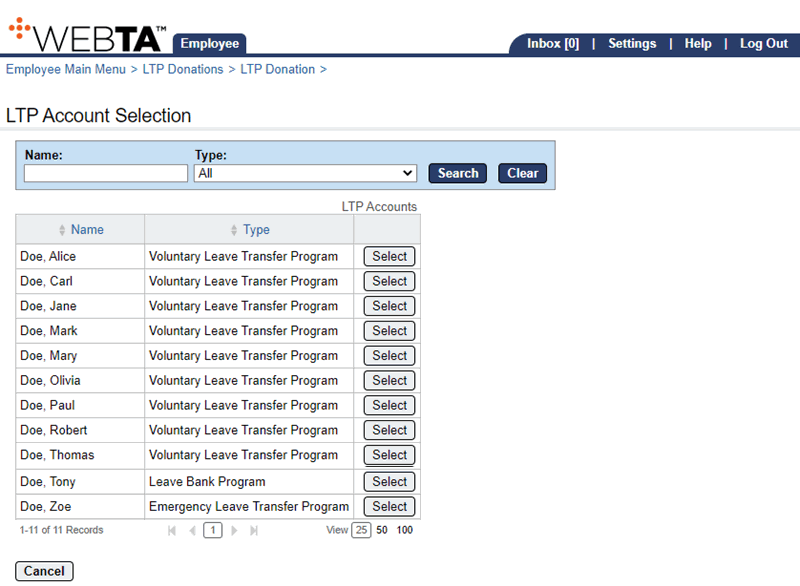
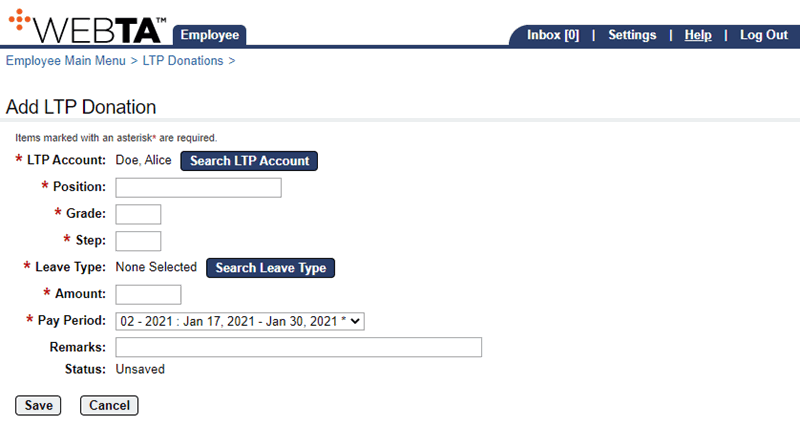
- Select the button of the LTP Account to which you are making your donation. The Add LTP Donation page is displayed with the selection displayed.
OR
Complete the search filters and select the button if the account is not listed.
- Complete the following fields:
- Select the button to save the donation. The message is displayed.
At this point, the following options are available:
Step
Description
Select the button
Returns you to the LTP Donations page
Select the tab
Returns you to the Employee Main Menu page
Select
Logs you out of webTA
See Also |