|
|
|
|
|


Deleting a Premium Pay Request
Pending premium pay requests may be deleted. If the premium pay request has been approved, the employee must have the supervisor revert the request back to .
To Delete a Premium Pay Request:
- Select the link from the Time section on the Employee Main Menu page. The Premium Pay Request page is displayed defaulting to current and future pending requests.
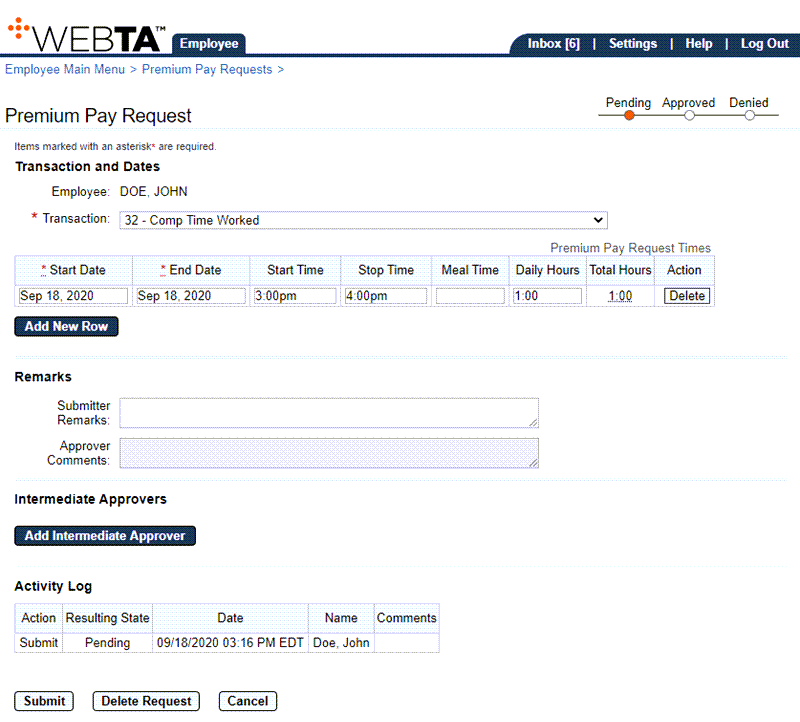
- Select the link for the premium pay request to be deleted. The applicable premium pay request is displayed.
- Select the button to delete the request. The message is displayed.
- Select the button to delete the request. The message is displayed. You are returned to the Premium Pay Request page.
At this point, the following options are available:
Step
Description
Select the button
Returns you to the previous page
Select the tab
Returns you to the Employee Main Menu page
Select
Logs you out of webTA
See Also |