|
|
|
|
|


Adding Leave Donations to a VLBP Account on Behalf of Employees
Donations to a leave bank can either be entered by the donating employees through the Leave Transfer Program section on the Employee Main Menu page, or they may be entered by a Leave Transfer Program Manager from the LTP Management page.
To Add a Donation to a Leave Bank:
- Select the LTP Management link from the Leave Transfer Program section on the Leave Transfer Program Manager Main Menu page. The LTP Management page is displayed.
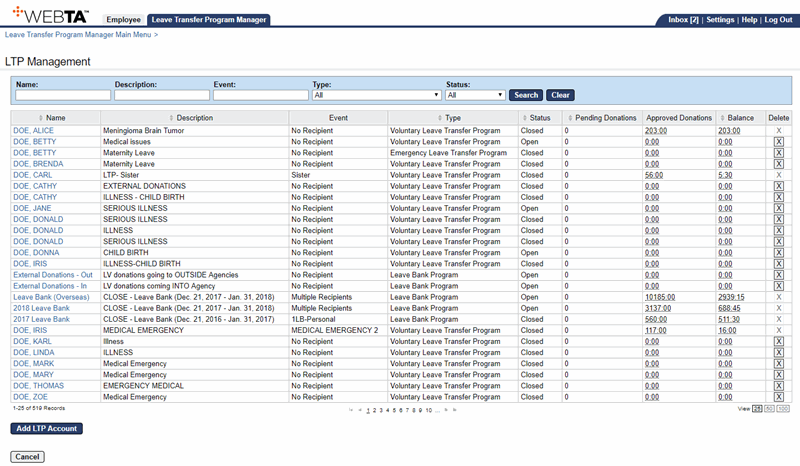
- Select the applicable leave bank.
OR
Enter the leave bank's name in the Name field and select the button. The search results are displayed. Select the applicable leave bank.
The Edit LTP Account page is displayed.
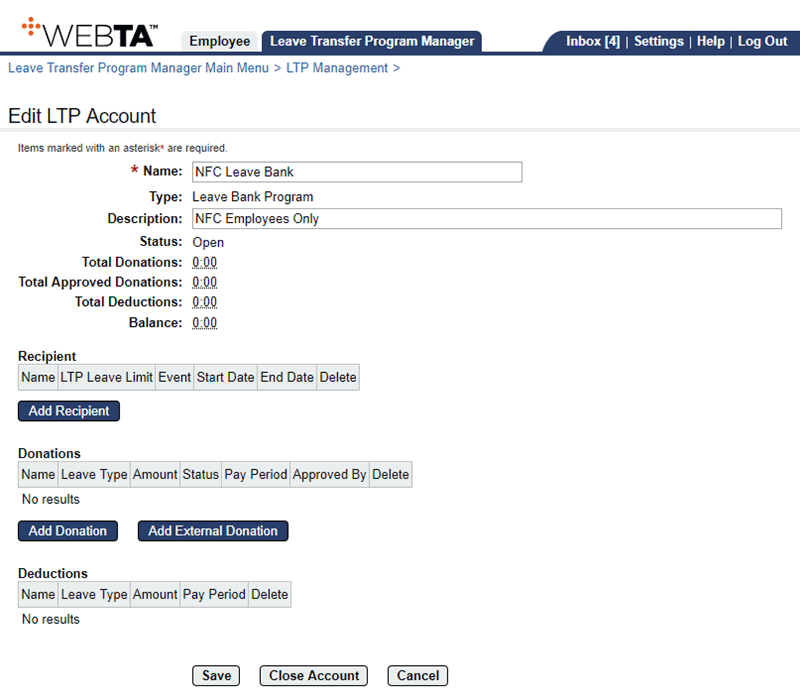
- Select the button. The Select Donor page is displayed.
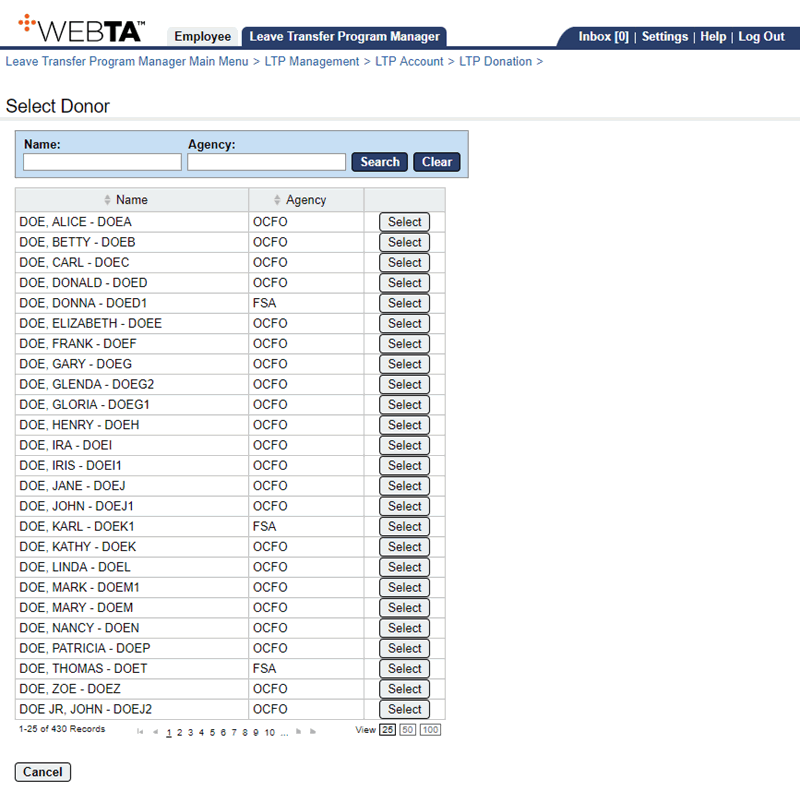
- Select the applicable donor.
OR
Enter the donor's name and select the button. The search results are displayed. Select the applicable employee.
The Add LTP Donation page is displayed with the donor's name and position information listed.
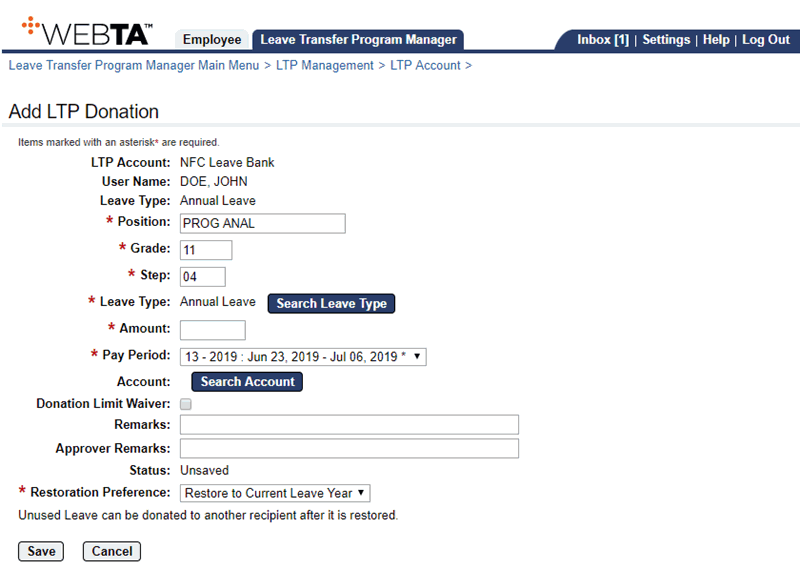
- Complete or edit the following fields:
- Select the button. The Edit LTP Donation page with the message is displayed.
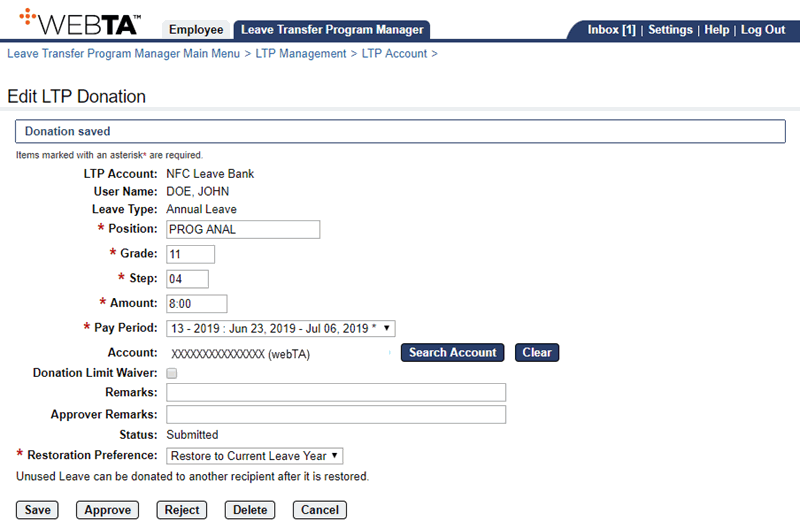
At this point, the following options are available:
Step
Description
Select the button
Saves the LTP donation. You remain on the page and the message Donation saved is displayed.
Select the button
Approves the LTP donation. You remain on the page and the message and the button are displayed.
Select the button
Rejects the LTP donation. You remain on the page and the message and the button are displayed.
Select the button
Deletes the LTP donation and returns you to the Edit LTP Donation page. The message is displayed.
Select the button
Returns you to the Edit LTP Account page.
Select the tab
Returns you to the Leave Transfer Program Manager Main Menu page.
See Also |