|
|
|
|
|


Searching for a Supervisor to Assign Delegation to
To Search for a Supervisor to Assign Delegation to:
- Select the button from the Supervisor Main Menu. The Delegate Supervisor Role page is displayed.
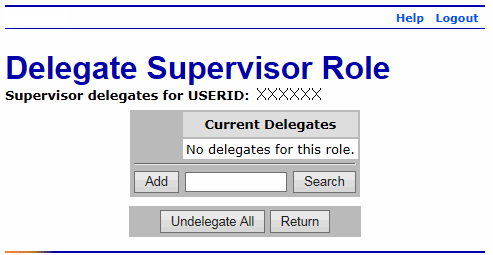
- Select the button. The Search for Supervisor page is displayed.
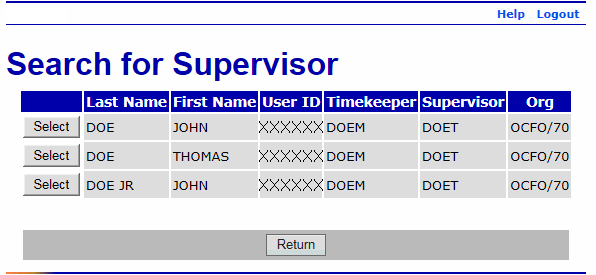
- Complete the fields as follows:
Field
Description/Instruction
Employee's Last Name
Enter the last name of the supervisor to assign delegation.
If you complete the Employee's SSN field, you do not need to complete this field.
Employee's First Name
Enter the first name of the supervisor to assign delegation. This is an optional field.
Employee's SSN
Enter the SSN of the supervisor to assign delegation.
If you complete the Employee's Last Name field, you do not need to complete this field.
- Select the button to search for the applicable supervisor. A list of applicable supervisor(s) is displayed.
OR
Select the button to cancel the search and return to the Delegate Supervisor Role page.
See Also |