|
|
|
|
|


Signoff
Follow the signoff-screen prompts at the bottom of the screen to exit the system or to return to the CL/SUPERSESSION Main Menu screen.
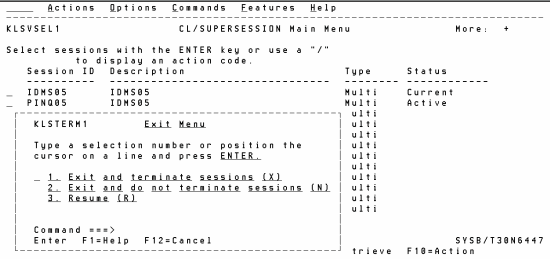
- At the CL/SUPERSESSION Main Menu screen, press . The Exit Menu popup is displayed.
- Position the cursor in front of Exit and press to exit and terminate the CL/SUPERSESSION.
OR
Position the cursor in front of Resume and press to exit the application without terminating the CL/SUPERSESSION Main Menu screen.
See Also |