Performance - Progress Review
The ESS Progress Review option allows employees to view and edit the progress review, elements, and standards. Employees cannot edit the Critical and Non-Critical Indicator; however, they can edit the standards detail.
- To enter or modify a progress review, select the Employee Self Service menu group.
- Select the Tasks menu.
- Select the Performance component. The Performance Request page is displayed.
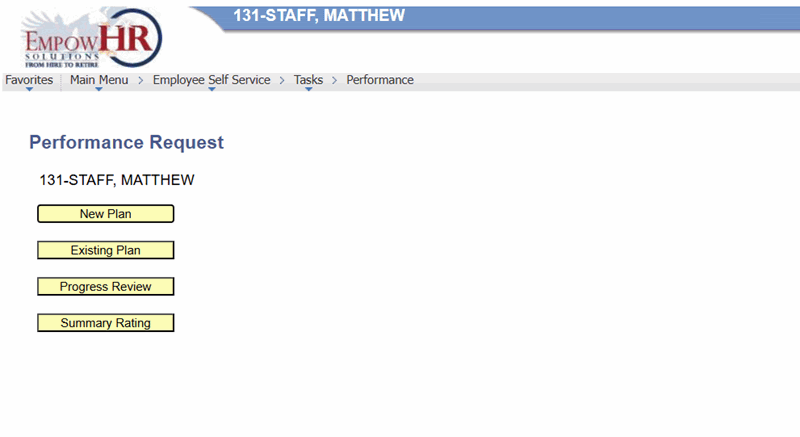
Figure 38: Performance Request Page
- Select Progress Review. The Self Progress Review page - Find an Existing Value is displayed.
- Select a Progress Review.
- Select the Search button. The Self Progress Review page - Progress Review tab is displayed.
Note: There are fields on this page that are populated from other pages in the application. These fields cannot be changed.
- Complete the fields as follows:
|
Field |
Description/Instruction |
|---|---|
|
EmplID |
Populated from the ESS logon. |
|
Performance Plan Start Date |
Populated from the MSS entry. |
|
Next Performance Plan By |
Enter the date the next plan is due or select a date from the calendar icon. |
|
Performance Plan End Date |
Enter the performance plan end date or select a date from the calendar icon. |
|
Perf Plan Reviewed Date |
Enter the date that the performance plan was reviewed. |
|
Review Type |
Populated with the type of review being performed from the MSS entry. |
|
Employment Info when plan was established |
Description/Instruction |
|
Rating Scale |
Populated from the MSS entry. |
|
Dept |
Populated from the ESS logon. |
|
Agency |
Populated from the ESS logon. |
|
Position |
Populated from the ESS logon. |
|
Pay Plan |
Populated from the ESS logon. |
|
Job Code |
Populated from the ESS logon. |
|
Supervisor |
Populated from the MSS entry. |
|
*Eval Type |
Populated from the MSS entry. |
|
Reviewer Comments |
Populated from the MSS entry. |
|
Employee Comment |
Enter the comments for the progress review. Note: Select Add More Comments to add additional reviewer or employee comments. |
|
Employee |
Instruction |
|
Viewed/Discussed |
Check this box if the employee viewed the performance plan and if the manager has discussed the plan with the employee. The current date is populated. |
|
Refused Rating |
Check this box if the employee refused the rating. |
|
Supervisor |
Description |
|
Created Review/Rating |
Checked if the supervisor created/reviewed the progress review. The current date is populated. |
|
Reviewer |
|
|
Concurred Rating |
Checked if the reviewer has reviewed the progress review. The current date is populated. |
- Select the Save button.
- Select the Elements and Standards tab. The Self Progress Review page - Elements and Standards tab is displayed.
- Complete the fields as follows:
|
Field |
Description/Instruction |
|---|---|
|
EmplID |
Populated from the MSS entry. |
|
Performance Plan Start Date |
Populated from the MSS entry. |
|
Performance Plan end Date |
Populated from the Progress Review tab. |
|
Next Performance Plan By |
Populated from the Progress Review tab. |
|
Performance Plan Reviewed Date |
Populated from the Progress Review tab. |
|
Job Code |
Populated from the ESS logon. |
|
Position |
Populated from the ESS logon. |
|
Elements and Standards |
Description/Instruction |
|
Performance Measure No |
Populated with the number of the performance element. |
|
Critical Indicator |
Indicates whether or not the performance element is Critical or Noncritical. |
|
Element |
Populated with the literal name of the element. Change if applicable. |
|
Standards |
Populated with the definition corresponding to the element. Change if applicable. |
|
Accomplishments |
Enter the applicable accomplishments. |
- Select the Save button.
- Select Spell Check to check the spelling of the Standards.
- Select Return to Search.
OR
Select Progress Review. The Self Progress Review page - Performance Plan tab is displayed.